
My documents: the administrative file
The documents your country requires, in one place: added once, dated automatically, recalled before expiry, and compared with every tender.
A tax certificate that expires the week of submission eliminates a bid as surely as a price that is too high, and far more often. My documents starts from there: your administrative documents in one place, the list of the ones your country requires, a reminder before each expiry, and on every tender the list of what you are still missing. This article shows how to build that file once, and what it then does for you.
The documents your country requires
The page opens on the list of documents that tender files in your country almost always ask for. It depends on your account's country. In Côte d'Ivoire, for instance:
- Trade register extract (RCCM): registration is permanent, but files usually ask for an extract under three months old.
- Tax compliance certificate (ARF): valid three months, issued by the tax authority.
- Social security compliance certificate (CNPS): valid three months.
- Non-bankruptcy certificate: valid three months, issued by the court registry.
- Tax existence declaration (DFE): permanent.
- Depending on the contract: the ministry's approval or classification, a bank certificate, the financial statements of the last financial years.
Each row says where the document is obtained, from which authority, and its usual validity. The counter at the top sums up the file: "3 of 8 documents". Everything not on the list (bonds, references, insurance policies) has its place under Other documents.
Computer
Each document carries one of four states:
- Ready: it is there and still valid.
- Expiring soon: under thirty days of validity left. Time to request the new one.
- Expired: it is there, but no longer serves; a file submitted with it is rejected.
- To add: nothing in My documents matches yet.
Add a document, from your phone if need be
Tap Add on the document's row
The document type is already chosen. On a phone, the camera is offered: a sharp photo of the certificate is enough. A scanned PDF works just as well.
The dates are read for you
SangoBids reads the issue date and the expiry date on the document and suggests them. When a document has a usual validity, the expiry is computed from the issue date. Correct it if the reading is wrong: that date is what triggers the reminders.
The document is checked on upload
An illegible document, one already expired, or one made out to a name other than your company's is flagged "to fix" at once, not on submission day.
The document stays private. It is read only to fill in the dates and flag what needs fixing; nobody but you sees it.
Reminders before expiry
A document that carries an expiry date calls you to order four times: 45, 30, 15 and 7 days before the date, by e-mail and by notification in the app. The Monday e-mail repeats the state of your file while it is incomplete, and lists the documents to renew.
The obligations calendar, at the bottom of the page, gathers your documents' next deadlines. You can add it to your calendar (Google, Outlook, iPhone): each date arrives there with a reminder 30 days and 7 days before.
On every tender
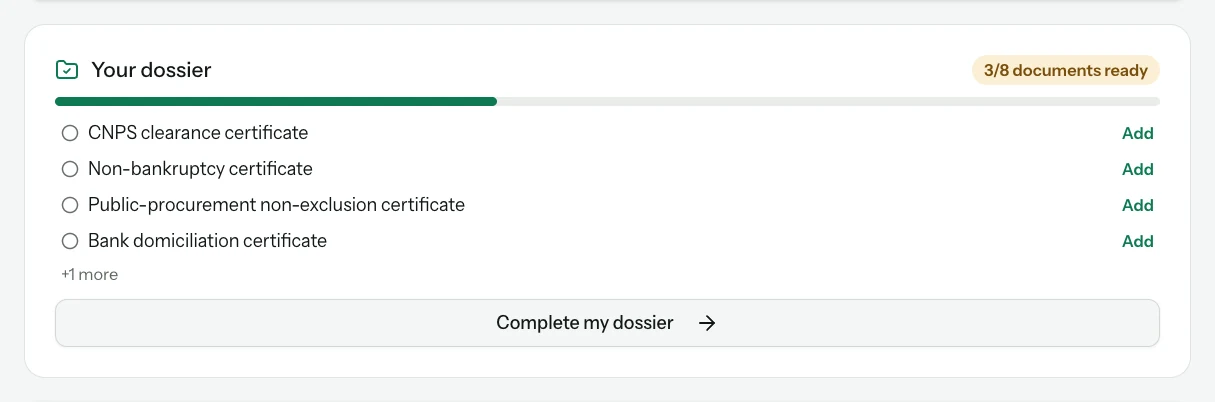
This is where the file pays off. Under the verdict on every tender page, the Your file block repeats your list, document by document, with a button to add what is missing. It is the same for every contract in the country and needs no paid plan.
Two finer readings come on top:
- The submission file of a tender you track reads the tender documents and compares the exact list of required pieces, quoted with their page, to what My documents holds. It tells you what expires before the deadline, and the reminder the day before lists what is still missing. See Prepare your submission file.
- Document readiness (Pro plan) checks your file against the notice's own requirements, for tenders you have not yet decided to track.
The company presentation
From My company, the Download presentation button generates the presentation page many files ask for: identity, sectors, references, and the list of your documents currently valid. An up-to-date file makes that page right.
What My documents does not do
It does not obtain the documents for you. For each one, the row names the issuing authority and the procedure; the administrative documents guide goes into detail by country.
It does not certify your documents to buyers. The Verified badge is a separate request, described on the My company page.
It does not replace reading the tender file: an addendum or a document required in an annexed form can add to the list. Before submitting, always check against the complete file.
What next
The Go/No-Go verdict tells you whether a contract is worth your time; Prepare your submission file follows a tender from the first click to submission. If a document is missing, the bidding guide explains how to obtain the administrative documents and bonds and guarantees.
Read next
- Prepare your submission fileFor every tracked tender: the document list read from the tender file, compared with your documents, the letters, the proposal, the reminder that says what is missing, and submission.
- The Go/No-Go verdictKnow in two minutes whether a tender is worth a week of work: the verdict, its reasons, your dossier against the notice and the requirement checklist.
Ready to try?
The account is free and public tenders stay free. Three minutes is enough to receive the first ones.
Get started free